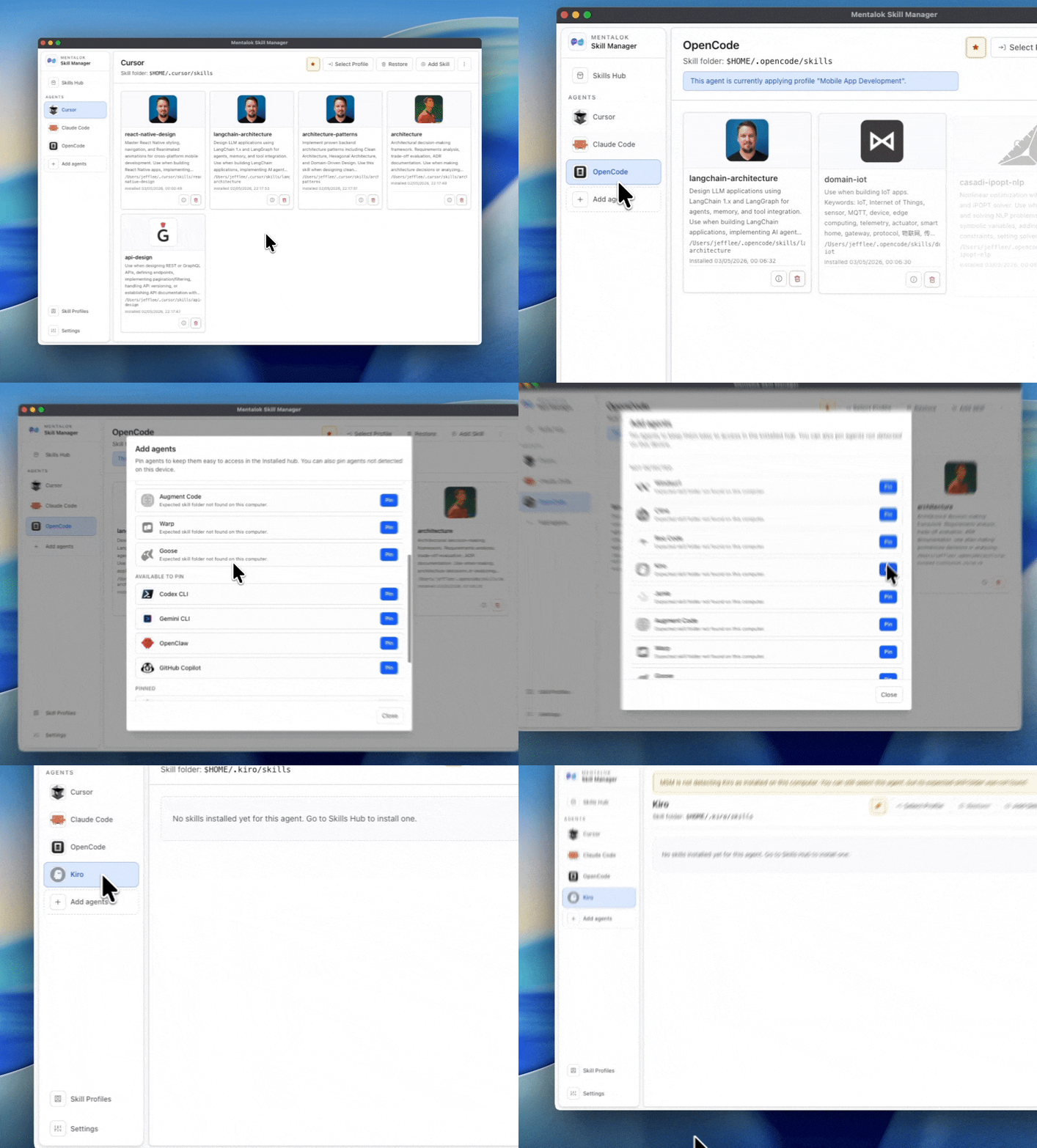
Desktop app

Mentalok Skill Manager

Install, organize, and sync AI agent skills from one desktop app.

Move from manual folder handling to a guided workflow: discover skills, install in one click, and apply repeatable setups across multiple AI coding agents.

What it does

Mentalok Skill Manager connects the Mentalok skills marketplace with your local skills folders, so you can install skills to the right place without manual copy-paste.

You can manage installed skills, build reusable skill profiles, and apply the same setup across different agent tools in minutes.
Main features

Marketplace browsing and install

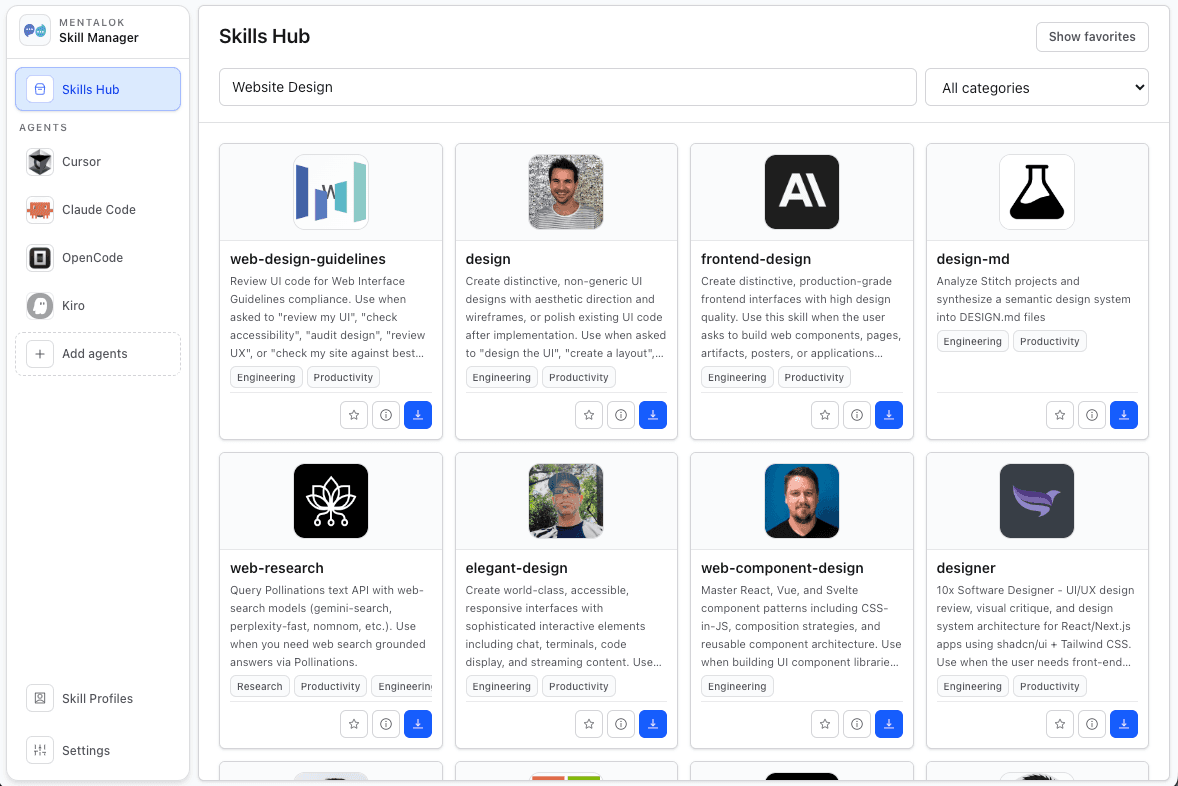
Search skills, open rich skill details, and install directly from the marketplace.

Installed skills management

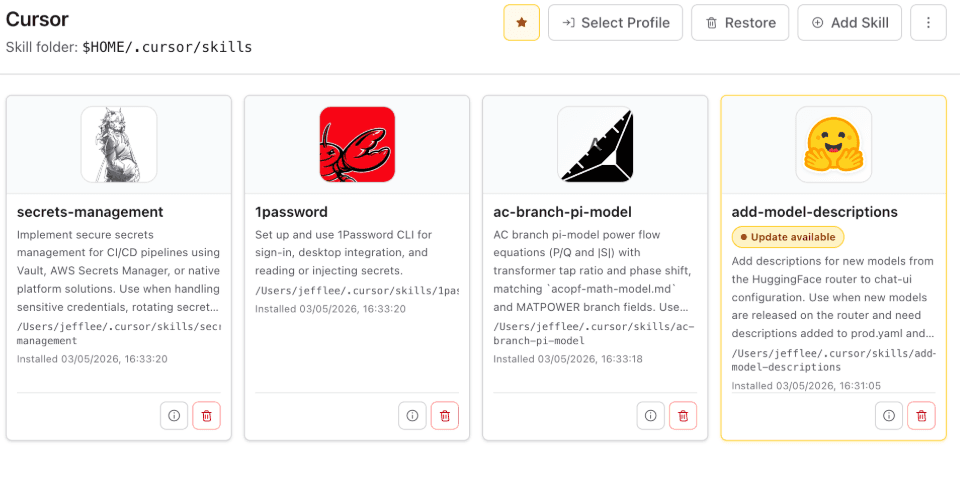
See managed and discovered skills by agent, uninstall cleanly, and open folders in one click.

Skill profiles

Create reusable skill bundles and apply them to any supported agent runtime.

Multi-agent support

Manage skills for Claude Code, Codex, Gemini, Cursor, Copilot, Windsurf, and more from one interface.

Favorites and local registry

Save favorites and keep local install records so your workflow stays consistent.

Built-in multilingual UI

Use the app in English, Traditional Chinese, or Simplified Chinese.

Problems it solves

  • Different agents use different skills paths on macOS and Windows.
  • Manual installs are error-prone and hard to track over time.
  • Teams and power users need repeatable skill stacks across tools.

Why teams choose it

  • Single control panel for many coding assistants.
  • Fast setup with safer path handling and local tracking.
  • Profile-based workflow for consistent environments.

Feature walkthrough

Real desktop screenshots grouped by workflow so you can quickly understand what each feature does.

Discover and evaluate skills

Search the skills library and inspect listings quickly before deciding what to install for your team or personal workflow.

Search Agent Skill
Search Agent Skill
Agent Skills Hub
Agent Skills Hub

Install and manage in one place

Install skills with a single action and manage your agent skill folders with clear visibility of what is active.

Ai Agent Skill Management
Skill One Click Install

Save presets and reusable profiles

Package selected skills into profiles so you can reuse and apply a consistent setup whenever you switch projects or agents.

Agent Skill Profiles
Save Agent Skills As Preset And Profile

Download Mentalok Skill Manager

Choose your platform to install the latest desktop release.

Download for macOS

Download link will be available soon.

Mentalok Skill Manager | Install and organize AI agent skills